Your One-Stop Source for the Latest PPC News

Google Explains How to Use Brand Report for Reach and Frequency

Screenshot of the Google Ads dashboard showing a Brand performance report with metrics like unique users, impressions, and average frequency, plus demographic data in a bar chart. The left sidebar displays various report categories.

Google Ads has shared a new video walkthrough on how to use the Brand Report, a reporting feature first spotted in November 2024 that helps advertisers measure brand performance across Video, Display, and App campaigns.

The Brand Report enables users to analyze reach and frequency, compare grouped campaigns, and explore key insights such as audience demographics and device performance. These capabilities support deeper analysis of upper-funnel metrics and brand lift indicators.
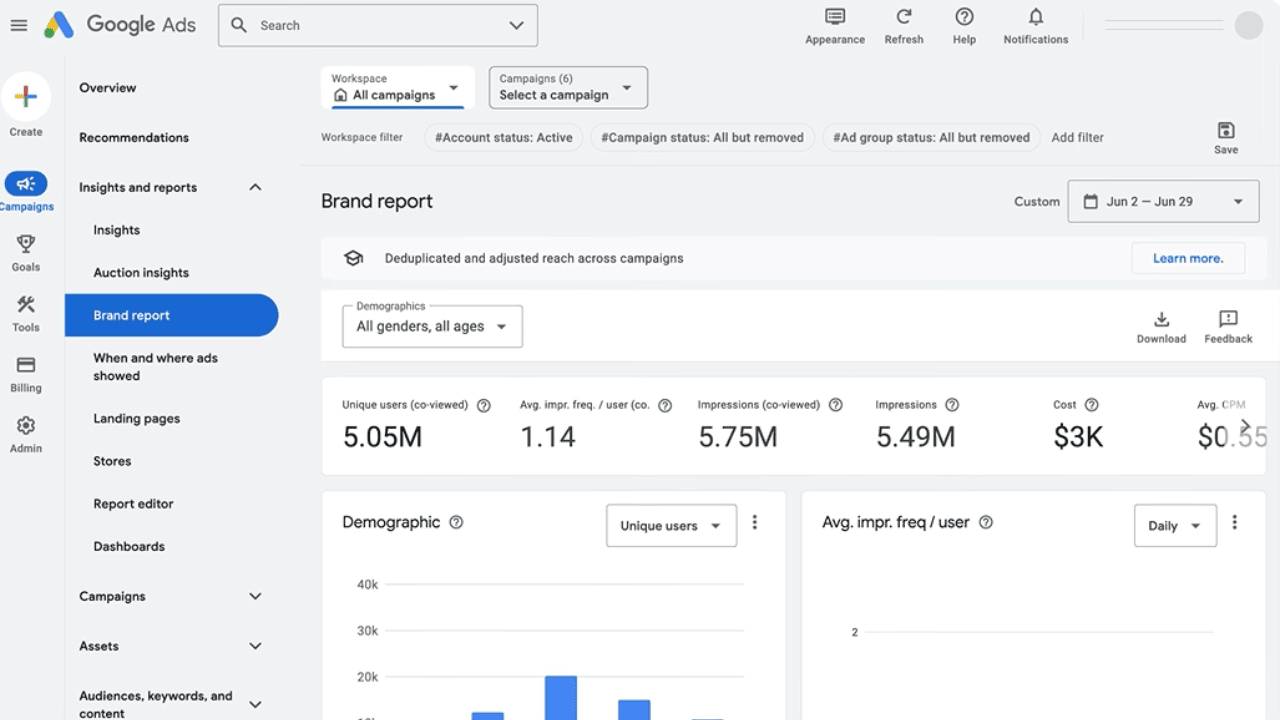
Screenshot of the Google Ads dashboard showing a Brand performance report with metrics like unique users, impressions, and average frequency, plus demographic data in a bar chart. The left sidebar displays various report categories.

Watch Google’s quick tutorial to learn how to use the Brand Report and refine your brand strategy: Measuring Reach & Frequency with Brand Report

Share this article
0
Share
Shareable URL
Read next