Your One-Stop Source for the Latest PPC News

Conversion Setup Simplified with Step-by-Step Flow

Screenshot of the Google Ads Conversions setup page, featuring a step-by-step flow with labeled sections for conversion setup, tag settings, conversion labels, and Google click ID; red text highlights “Final Step!,” “UPDATED!,” and “NEW UI.”.

After redesigning the Conversion Goals overview earlier this year, Google is now testing a revamped step-by-step flow for creating conversion actions.

Spotted by Saquib Syed, the new flow includes:

  • A guided setup titled “Simpler conversion measurement setup”
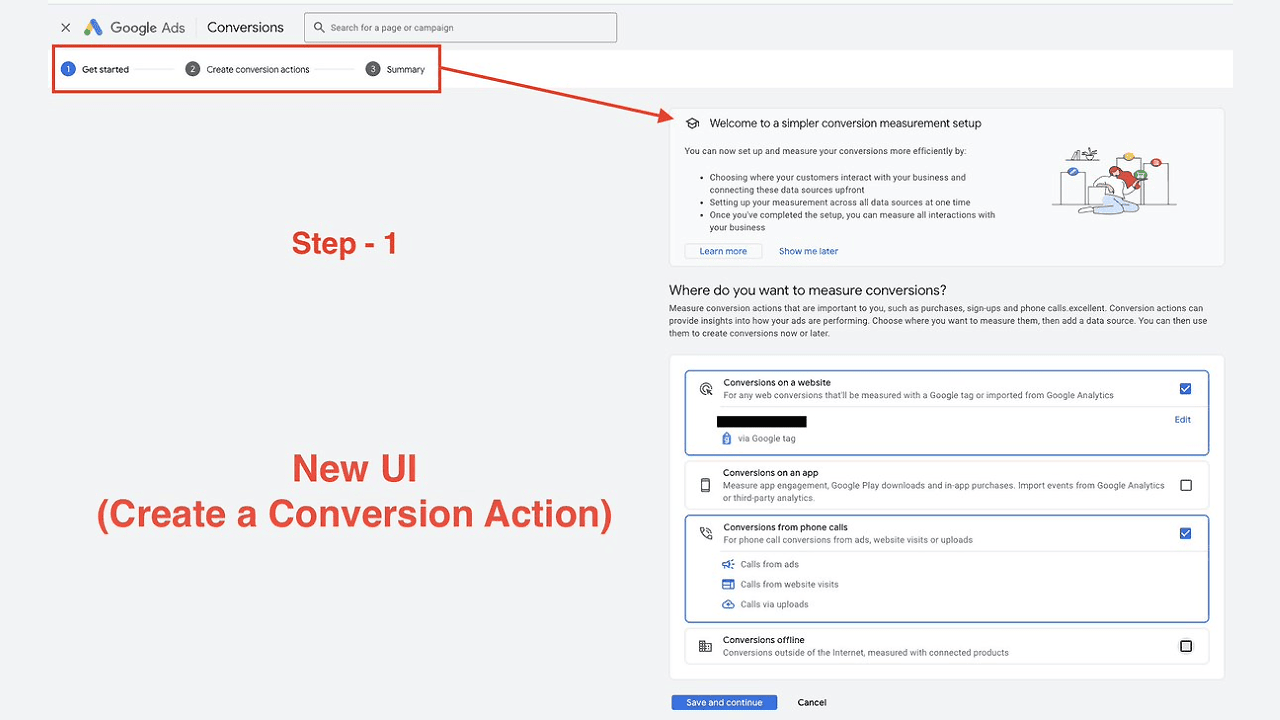
Screenshot of the Google Ads Conversions page featuring a highlighted "Get started" button and a new step-by-step flow for conversion setup, with clearly labeled steps to guide users through creating a conversion action.
  • Clear selection of what you want to measure (leads, purchases, etc.)
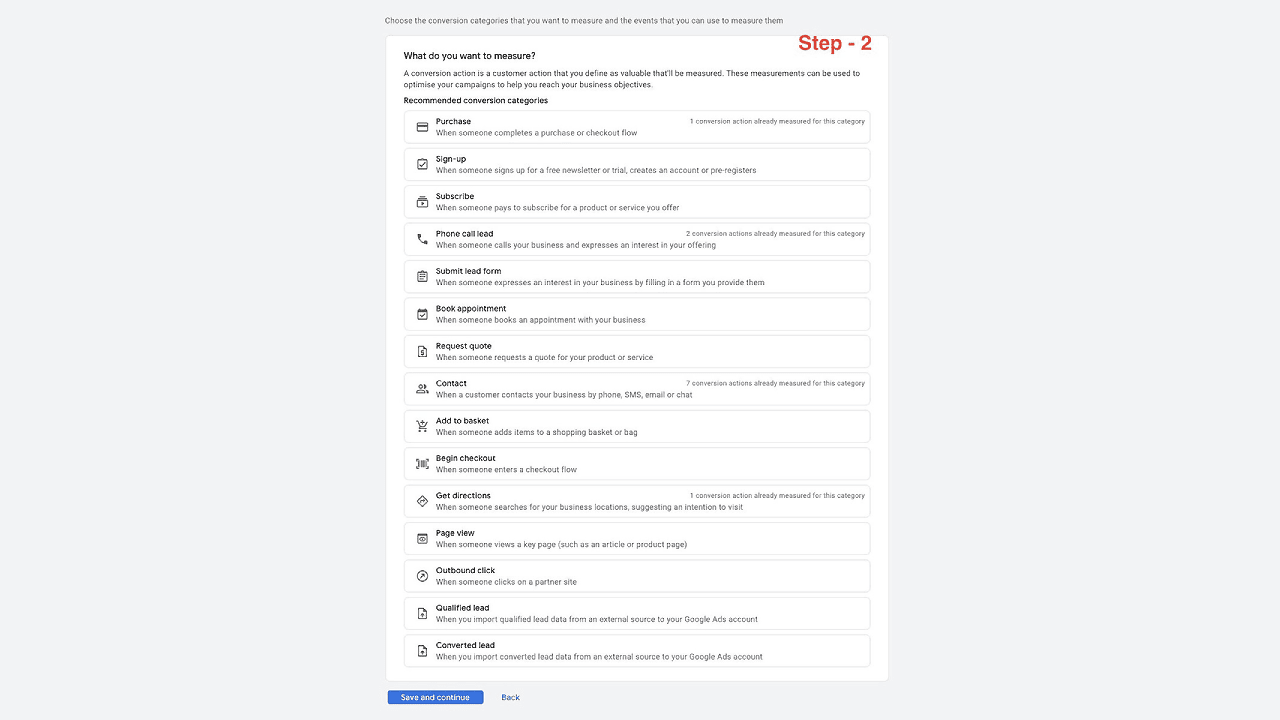
A webpage titled "Step - 2" guides users through a Step-by-Step Flow in Google Ads Conversion Setup, displaying measurement options with descriptions and radio buttons. "Save and continue" and "Back" buttons appear at the bottom.
  • Option to create a codeless or manual event
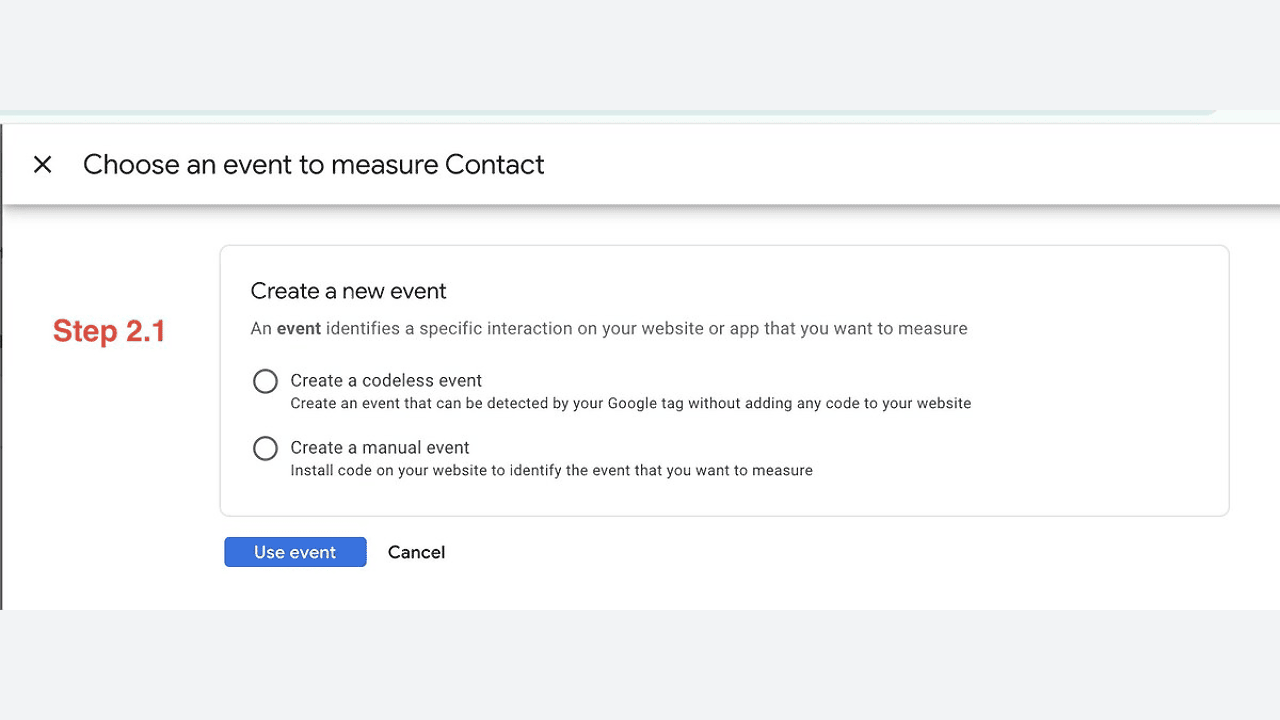
A Google interface screen for conversion setup displays options to create a new event—either codeless or manual—in a step-by-step flow. “Use event” and “Cancel” buttons are shown at the bottom.
  • A clean layout for manual setup with GTAG, GTM, email instructions, and more
Screenshot of the Google Ads Conversions setup page, featuring a step-by-step flow with labeled sections for conversion setup, tag settings, conversion labels, and Google click ID; red text highlights “Final Step!,” “UPDATED!,” and “NEW UI.”.


Share this article
0
Share
Shareable URL
Read next