Your One-Stop Source for the Latest PPC News

Google Moves Logo Settings in Merchant Center

Screenshot of Google Merchant Center Next showing the "Brand" section selected in the left menu, highlighting a branding update with red arrows pointing to the "Manage logo" link and brand section. Various Merchant Center menu items are visible on the left.

Google has relocated the logo management section in Merchant Center Next, making it easier to manage brand identity. Logos are no longer found under Business Info. Instead, users must now navigate to Marketing > Brand > Logo to upload or edit their logos.

Screenshot of Google Merchant Center Next showing the "Brand" section selected in the left menu, highlighting a branding update with red arrows pointing to the "Manage logo" link and brand section. Various Merchant Center menu items are visible on the left.

Here is how the Business info section appears now, including a notice that the logo management has moved. This was shared by Hana Kobzová:
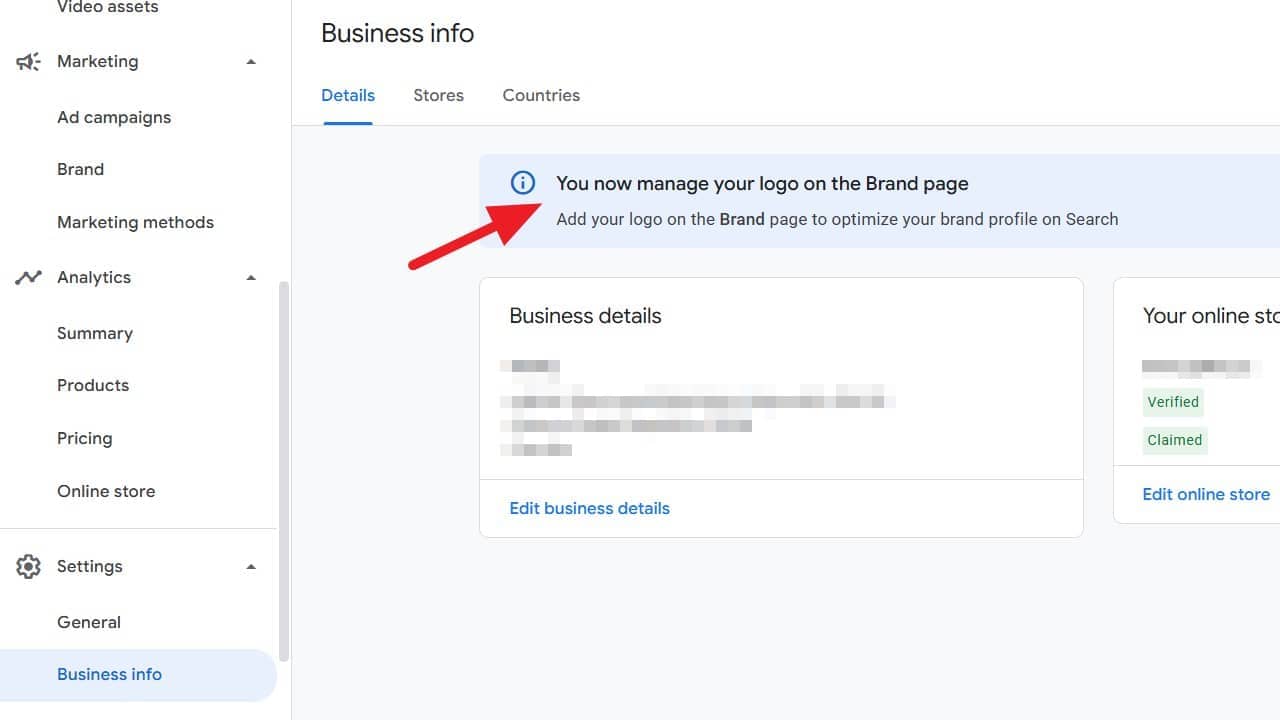
Screenshot of a business info dashboard with a red arrow pointing to a message box that says, "You now manage your logo on the Brand page." The left menu shows sections like Marketing, Analytics, and Settings.

Note that only Admin or Super Admin users can access this new location, which may affect account workflows.

This update was shared by Emmanuel Flossie.

Share this article
0
Share
Shareable URL
Read next