Disclaimer: This post may contain affiliate links. If you make a purchase through them, we may earn a commission at no extra cost to you.
Effective PPC campaigns often fall short when they fail to connect with the right audience, leading to disappointing results and wasted spend.
Precision, especially in Google Ads targeting, is key to better ad performance. It helps you reach the right people, those most likely to be interested, so you get more value from your budget and a bigger return on your investment.
Easier said than done… at least it was, until I discovered Adzoola, a powerful PPC marketing tool I started using a few months ago. It shows me exactly where my ideal audience is spending time, so I can get my ads in front of the right people at the right time, whether through Google Ads placements, targeting audience on YouTube, or custom segments built for Demand Gen campaigns.
What is Adzoola?
Adzoola is a powerful PPC tool built for digital marketers, designed to uncover precise Google Ads targeting and placement opportunities your competitors are likely missing. Think exact-match YouTube videos, overlooked keywords, app audiences, and even more.
It’s designed to make your campaigns more profitable, more efficient, and easier to scale, with less guesswork and more data-driven control.
In short, Adzoola turns messy, expensive guesswork into a clear, repeatable system for finding and reaching your perfect audience.
💰 Ready to level up your targeting game? Use code PPCNEWSFEED15 and get $15 off your first month with Adzoola.
6 Methods for Precise Google Ads Targeting
After testing and scaling dozens of campaigns with Adzoola, I’ve narrowed it down to six strategies I keep coming back to because they help me drive better targeting, stronger engagement, and real PPC results.
PPC Keyword Research Tool
Let’s start with the foundation: keywords. Adzoola’s PPC Keyword Research Tool isn’t just for finding terms to use in search campaigns, you can use it as a starting point for other strategies mentioned later in this article. If you’re unsure where to begin or want to explore fresh angles, this is where you start.
Think of it as your targeting command center.
Inside the suite, you’ll find seven different tools designed to help you discover high-intent, campaign-ready keywords from different angles:
- Suggested keywords: Pulls top keyword suggestions from YouTube or Google autocomplete for your chosen keyword.
TIP: Enable Deep Mode to uncover longer keyword variations that may also reveal potential negative keywords. This helps you avoid wasted spend right from the start.
- Related Searches: Surfaces the eight related search terms from the bottom of Google’s results page.
- Similar keywords: Generates closely related variations of your existing keywords to expand targeting without losing relevance.
- Keyword ideas: Finds keywords in the same categories as your search. Use multiple terms to get group-based suggestions and toggle close variants to switch between tightly and broadly related results.
- Keywords for Category: Find keywords by market category and filter for buyer intent to uncover transactional search terms.
- Keywords for Domains: Shows which keywords a domain ranks for in Google, with optional top-10 ranking filter.
- Domains intersection: Enter two or more URLs to uncover shared organic and paid keywords for overlap insights or competitive analysis.
With seven specialized tools working together, you’ll go beyond basic suggestions and tap into high-intent, deeply relevant terms that set the stage for more effective campaigns.


Tip 1: Adzoola gives you two ways to refine your results: filters before you hit Search, and dynamic filters after the results load. With plenty of filtering options available, take time to explore them all for maximum relevance. You can also stack these filters! 💪
Tip 2: Filter for commercial and transactional keywords, then build a new custom segment around people who searched for any of these terms on Google, and use it in your Google Ads campaigns.
YouTube Placement Targeting
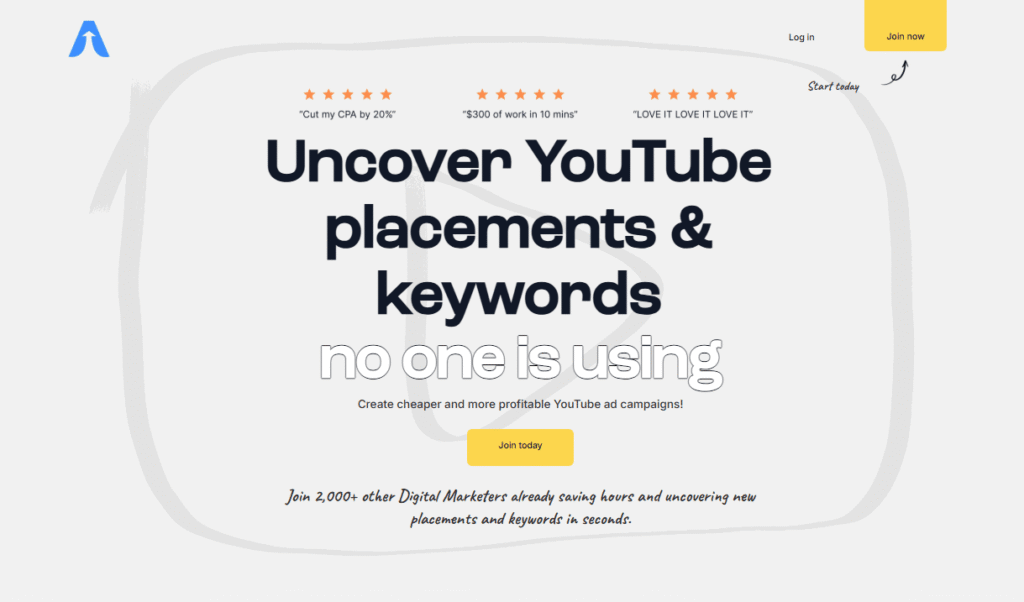
YouTube Placement Targeting is one of the most effective and low-risk strategies for running profitable PPC campaigns on YouTube.
Rather than relying on automated algorithms or broad audiences, this method puts the power in your hands. You manually select the exact videos where your ads will appear. This precision dramatically improves relevance, engagement, and return on ad spend.
Here’s how to do it step by step:
- In Adzoola, go to YouTube Research > Video Search > Keyword Research to find videos based on keywords, or use Related by Video ID if you’re trying to discover similar videos to one you already have in mind.
- Enter Your Keywords: Use up to 20 terms related to your niche (e.g., “yoga workouts” for a yoga apparel brand).
- Find Video Placements: Adzoola uncovers hundreds of highly relevant videos, including valuable “suggested videos” that don’t appear in standard YouTube searches. These placements often have up to three times more views, giving you exclusive access to high-traffic opportunities your competitors are likely overlooking.
- Filter and Refine Your Placement List: Use filters to narrow down results by video duration (e.g., 60+ seconds for longer engagement), view count (to prioritize popularity), and title keywords, including or excluding specific terms to boost relevance. You can also sort by occurrence, which highlights videos that match multiple keywords from your search, signaling deeper topic alignment. After applying filters, manually review and remove any irrelevant placements to ensure your list stays focused on your niche. For campaigns with a limited budget, it’s smart to begin with a tightly curated list of around 100 placements. This focused start prevents budget dilution and lets you test effectiveness before scaling up.
- Get URLs: Once you’re satisfied, get your custom list of placements as a text list of URLs which you can easily use in Google Ads.


Tip 1: New videos are published on YouTube every day, so it’s important to check for fresh, relevant placements regularly. Since Adzoola is connected directly to the YouTube API, you can discover new content the moment it goes live.
Tip 2: Uncheck “Video partners on the Display Network” in your campaign settings to keep your ads exclusive to YouTube. This prevents them from showing on unrelated websites that typically deliver low engagement.
YouTube Channel Targeting
Imagine you’re offering parenting coaching services. Instead of running broad ads hoping to catch stressed-out parents, why not place your message directly on YouTube channels focused on toddler tips, parenting routines, or child behavior advice? These viewers are already seeking the kind of help you provide.
Here’s a guide to creating a list of relevant YouTube channels using Adzoola:
- Go to YouTube Research > Channel Explorer > Search for Channels.
- Introduce Relevant Keywords: Use up to 50 keywords that reflect your target audience’s interests.
Not sure where to start? Use Adzoola’s PPC Keyword Research Tool to find keyword suggestions based on real YouTube search behavior.
- Filter and Refine Your Channel List: Once you’ve built an initial list, it’s time to fine-tune. Start by exploring each channel to review its video topics (use the plus button on the left), view counts, and average engagement to assess whether the content aligns with your audience. Use filters to exclude channels with massive views that aren’t tightly relevant to your offer as they can quickly drain your budget without delivering results. You can also sort by occurrence to surface channels that publish content repeatedly for multiple target keywords, a strong signal of deeper relevance and niche authority.
- Get URLs: Once you’re satisfied with your refined list, click the “Get URLs” button above the table to copy all selected channel links, then paste them directly into Google Ads as placement targets.


Are the results too broad? Since they take the channel’s description into account, they might not always be as relevant as you’d like.
Here’s another way to find more targeted channels based on the videos they publish, rather than just the channel itself:
- Go to YouTube Research > Video Search > Keyword Research, and use 5–10 keywords to find relevant videos.
- Switch to the Channels tab.
- Sort the results by occurrence, which shows how many times the channel’s videos appear in the results for your chosen keywords. A single video can show up multiple times for different keywords.


Google Display Network Placement Targeting
If you’re looking to target specific websites in your Google Display Network (GDN) campaigns using URL targeting, Adzoola’s Deep Search feature within the Web Search tool is the way to go. It lets you identify and filter websites that show AdSense ads, which means you can target those placements directly through Google Ads.
Here’s how to use it step by step:
- Go to SERPs & Apps Research > Web Search in Adzoola
- Switch to Deep Search Mode: Choose Deep Search before running your query. This mode takes a bit longer but returns detailed insights about each result, especially whether it shows Google ads.
NOTE: Deep Search takes about 5–10 seconds per page to gather all relevant data. If you don’t want to wait, you can find your results later under Projects in the bottom-left corner of the main menu.
- Enter Your Keywords and Target Location: Input keywords relevant to your niche and select your target country to tailor the results to your ad campaign’s geography.
- Run the Search and Wait for the Analysis: Deep Search will now crawl the top-ranking websites for your keywords and return additional advertising insights. This includes whether or not the page is part of the Google AdSense network, which is key for URL targeting.
- Filter Your Results: Once your Deep Search results are in, use the “Ads” filter to narrow down your list to only those websites actively serving ads through AdSense. These are the placements you can target directly in your Google Display campaigns using URL targeting.
This targeting method has been around for years, but the challenge has always been finding relevant, content-specific sites that actually run AdSense. It’s a powerful way to control exactly where your ads appear, but without the right tools, the research can be tedious and time-consuming. Adzoola does the heavy lifting by handling that research for you and instantly revealing high-relevance placements.


Targeting Similar Websites
If you want to go beyond basic keyword targeting and reach people based on the websites they visit, Adzoola’s SERP Competitors tool gives you a direct path to do just that.
Here’s how I use it:
- In Adzoola, go to SERPs & Apps Research > SERP Competitors.
- Enter Relevant Keywords or Domains: You can enter up to 200 relevant keywords or up to 20 domains. I recommend starting with just 1 or 2, and adding more only if the results are too broad. Keep in mind that the more you include, the fewer results you’ll see.
- Refine the Results: Use filters to exclude irrelevant or overly broad domains like Amazon or Pinterest. You can also focus on domains that rank in the top 10 for your selected keywords or sort by traffic volume to target only the most qualified sites.
- Use Results in Google Ads: Create a custom segment to target users who’ve browsed these types of websites, giving you access to a warm, interest-based audience ready for your message.


Targeting Specific Apps
If your ideal customers are using niche apps tied to your product or service, why not target them there? Adzoola’s App Search tool makes it easy to find relevant Google Play apps to build custom audiences around users who are already showing interest in your market.
NOTE: Adzoola can also identify apps from the Apple App Store, but these cannot be used for custom segment creation in Google Ads.
Here’s how to do it step by step:
- In Adzoola, go to SERPs & Apps Research > App Search.
- Once inside App Search, Adzoola offers three flexible ways to find relevant apps:
- Search by Keyword: Enter up to 5 terms related to your niche to discover apps that align with your product or audience.
- Lists and Categories: Browse from predefined app lists or explore by category to uncover curated, high-relevance options.
- Lookup by App ID: Already have a specific app in mind? Use its ID to find more insights such as similar apps (not available when searching using keywords).
- Filter and Refine Your App List: Select only the apps that align with your niche and audience goals.
- Export and Apply: You can use the list in Google Ads to create custom audiences based on users who’ve interacted with apps similar to those you’ve chosen. While you’ll need to add each app individually, since Google pulls them from its Play Store, you can use either the app name or app ID, and both will work.


Final Thoughts
In this article, I’ve highlighted my six favorite ways to use Adzoola, the strategies I rely on most. But it truly does much more, as the extra tips throughout the article show. I highly recommend giving Adzoola a proper spin, as it has become an essential part of how I set up my campaigns.
It saves me hours of manual research and gives me access to targeting options I wouldn’t find otherwise. From finding high-performing YouTube placements to building custom audiences from websites and apps, it gives me the control and precision I need to scale with confidence.
If you’re serious about making your PPC campaigns more targeted, efficient, and profitable, Adzoola is absolutely worth having in your toolkit. Get instant access to Adzoola now!
P.S. Use code PPCNEWSFEED15 at checkout for $15 off your first month 💰
Adzoola helps you efficiently uncover hidden, high-converting keywords, precise video placements, and unique audience segments for both Google and YouTube Ads.
➤ Use code PPCNEWSFEED15 for $15 off your first month.

Hana Kobzová is a freelance PPC specialist and the founder of PPC News Feed. Named among the TOP 100 Most Influential PPC Experts 2026, she is also a Google Ads Product Expert and a Microsoft Advertising Certified Professional. Hana delivers clear updates and actionable insights that help marketers save time and work smarter.